
What Should You Check Before Buying an Old iPhone?

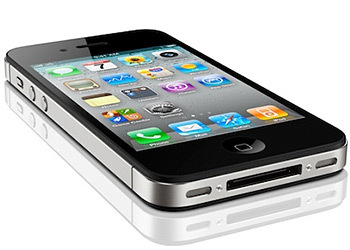
Buying an old iPhone can be a brilliant way to get a premium smartphone without paying the premium price. But before you hand over your money, it is worth taking a few minutes to check what you are actually buying.
A phone might look spotless on the outside but have a tired battery, a locked account or a history of expensive repairs underneath. The good news? You do not need to be a tech expert to spot the important things.
Here are the most important checks to make before buying an old iPhone.
1. Check the Battery Health
The battery is one of the first things you should check on a used iPhone.
Go to Settings → Battery → Battery Health & Charging and look at the Maximum Capacity. A higher percentage generally means the battery has more life left in it.
If the battery health is noticeably low, the phone may need charging more frequently, particularly if you use mobile data, video or gaming throughout the day.
A worn battery is not necessarily a deal-breaker, but you should factor the potential replacement cost into the price.
2. Make Sure the iPhone Is Not Activation Locked
This is one of the most important checks when buying a second-hand iPhone.
The previous owner’s Apple Account must be removed from the device, and Find My should be turned off before you buy it. If the phone is still linked to someone else’s account, you could end up with a device you cannot properly use.
Ideally, ask the seller to erase the iPhone in front of you. After resetting it, the phone should take you through the normal setup process without asking for the previous owner’s Apple Account details.
If a seller refuses to let you check this, consider it a serious warning sign.
3. Check the IMEI and Network Status
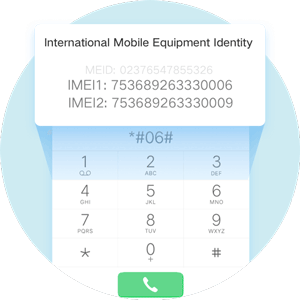
Every iPhone has a unique IMEI number, which can be used to check information about the device.
Make sure the IMEI on the phone matches the information provided by the seller or the original documentation where available. Depending on your country and network, you may also be able to check whether the device has been reported lost or stolen or whether it is blocked from network use.
This small check can save you a very large headache later.
4. Inspect the Screen and Body Carefully
Give the iPhone a proper look rather than relying on a quick glance.
Check the display for:
- Cracks or deep scratches
- Dead or unusual pixels
- Touchscreen problems
- Display discolouration
- Brightness or screen issues
Then inspect the frame, back glass and camera lenses for signs of serious damage.
A few marks from everyday use are perfectly normal on an old iPhone. What you want to avoid is evidence of a major drop, water damage or a poorly repaired device.
5. Test the Camera, Speakers and Microphone
Do not assume everything works simply because the phone turns on.
Take a few photos and record a short video. Try both the front and rear cameras. Play some audio through the speakers and record a voice note to test the microphone.
Also make a quick phone call if possible.
These simple tests can reveal problems that are not obvious when you first look at the phone.
6. Check Face ID or Touch ID
Biometric features are easy to overlook when buying a used iPhone, but they are important.
If the model has Face ID, set it up and make sure it recognises you properly. If it has Touch ID, test the fingerprint sensor.
If these features do not work, do not simply assume it is a minor software issue. Repairs can sometimes be expensive, so the problem should be reflected in the price—or, better yet, avoided altogether.
7. Check the iOS Version and Software Support
An old iPhone can still be a fantastic phone, but not every older model will receive the latest version of iOS forever.
Before buying, check whether the particular iPhone model still receives software and security updates. This matters for app compatibility, security and the overall lifespan of the phone.
Choosing a slightly newer used iPhone can sometimes be a much better investment than buying an older model simply because it is cheaper.
8. Ask About Repairs and Replacement Parts
Finally, ask a simple question: Has anything been replaced or repaired?
A screen or battery replacement is not automatically a bad thing. In fact, a professionally repaired iPhone can still be a perfectly good purchase.
However, it is useful to know whether the phone has had a screen, battery, camera or other component replaced. If possible, check the device’s Parts and Service History in Settings.
Knowing the phone’s history helps you understand what you are paying for.
The Bottom Line
Buying a used or old iPhone does not have to be risky. You simply need to slow down and check the basics before making the purchase.
Battery health, Activation Lock, IMEI status, physical condition, cameras, Face ID or Touch ID, software support and repair history are the checks that matter most.
Take ten minutes to test the phone properly, and you could save yourself from a very expensive mistake. After all, a good second-hand iPhone should feel like a bargain—not a problem waiting to happen.


